
How do I apply promo/discount codes?Updated 9 months ago
FOR ONE-TIME ORDERS:
• Proceed to checkout and enter your code in the "Discount code or gift card" field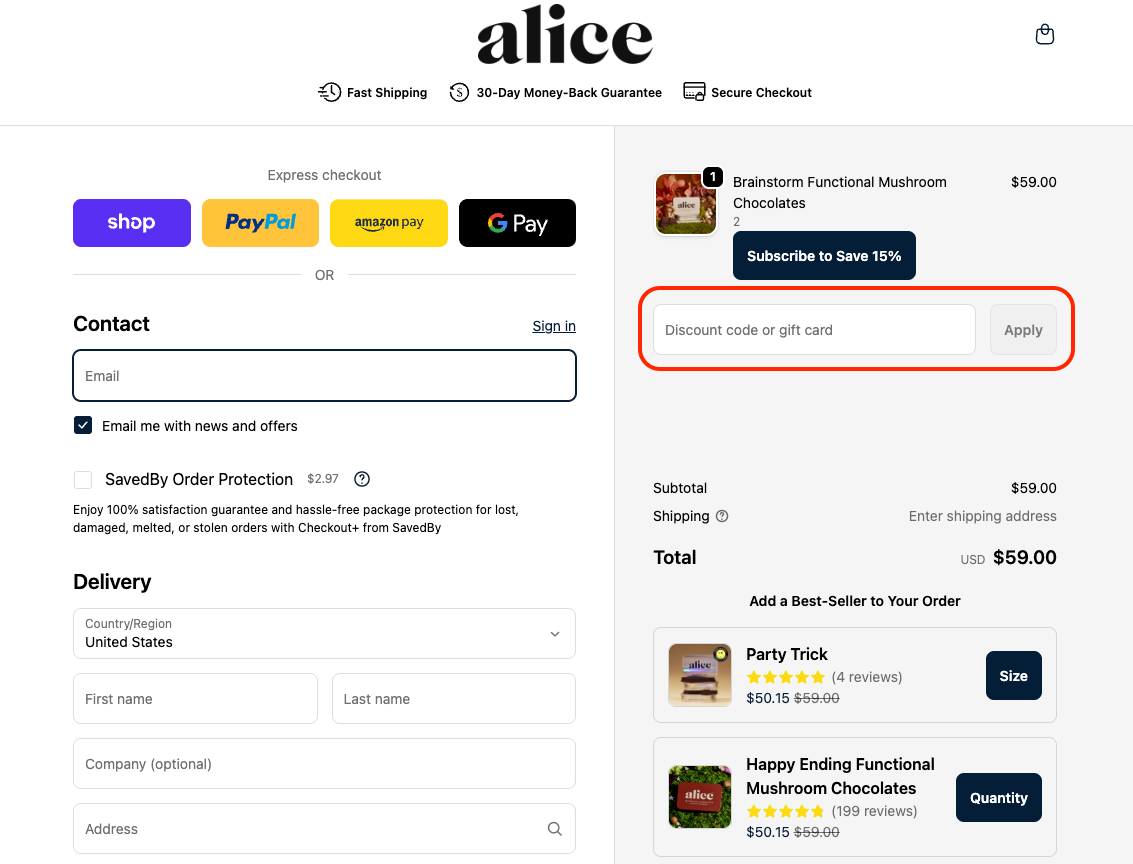
• Click "Apply" to see your new total before finalizing your order.
• Only one code can be used per order. Codes can't combine with ongoing sales.
If you’re having trouble entering your promo code, please try clearing the cache on your web browser or trying on a different device.
FOR SUBSCRIPTION ORDERS:
- Log into your subscription account and navigate to the "Subscriptions" tab on the left-hand side
- Scroll down to the bottom of the page where it says "Discount code" and enter your code into the field below
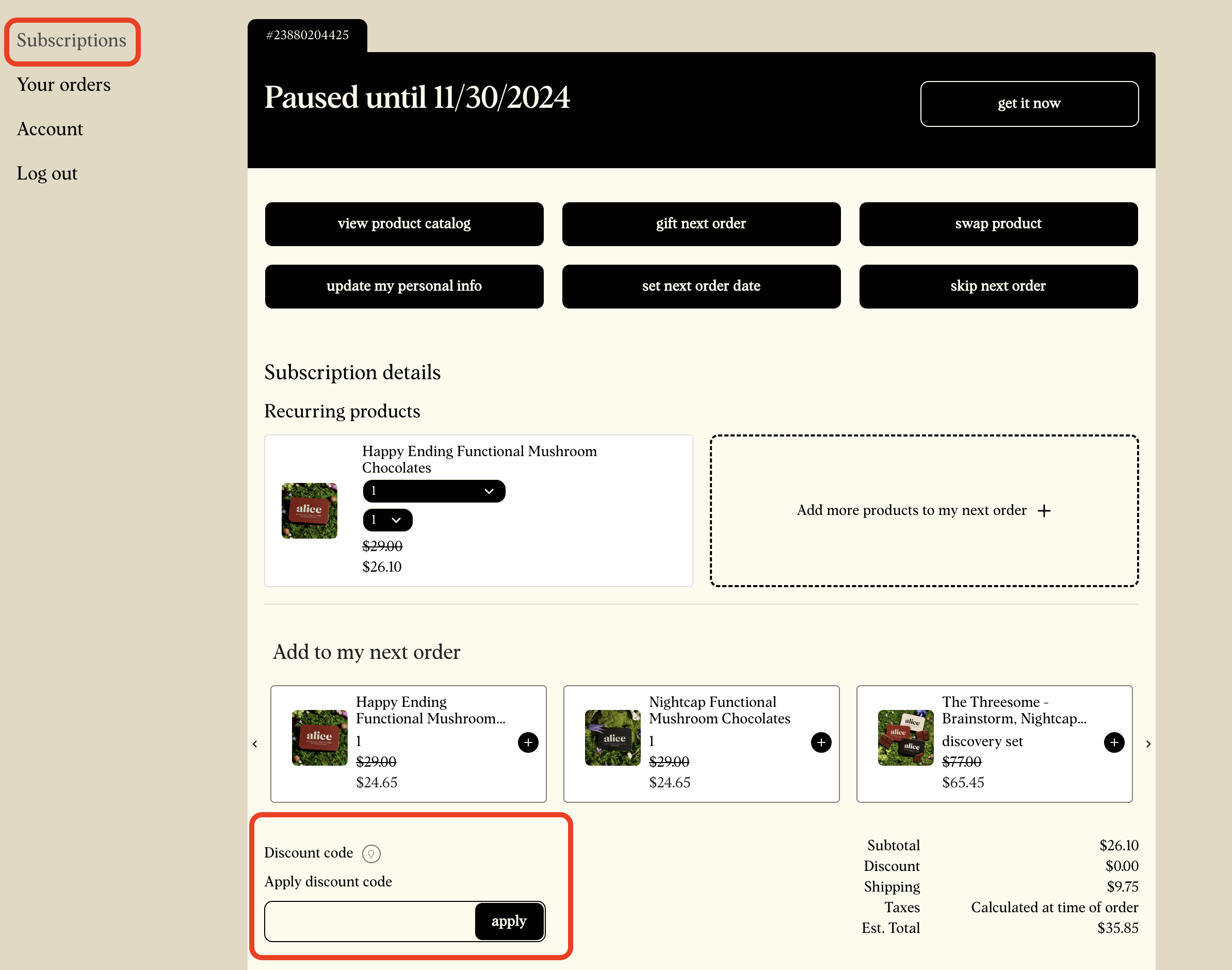
- Click "Apply" to see your new total that will be charged on your next subscription billing date
- Only one code can be used per order. Codes can't combine with ongoing sales. Unless otherwise stated, discount codes only apply to one (1) subscription order and do not cary over to future orders.